

Write as: Streamline Your Content Publishing
The software is designed for writers seeking a streamlined, efficient way to publish content online. It serves as a dedicated platform for creating and sharing blog posts, articles, and personal reflections with minimal friction. The primary purpose is to simplify the publishing process by allowing users to generate content once and distribute it across multiple platforms through a single copy.
This reduces redundancy and supports consistent online presence. Target users include freelance writers, content creators, bloggers, and individuals who regularly share insights or creative work. The developer, Write.as, focuses on creating tools that prioritize clarity, speed, and accessibility.
Real-world usage scenarios include maintaining a personal blog, sharing writing samples with publishers, or distributing thought leadership content across social networks. The platform supports cross-device publishing, making it suitable for users who work across multiple systems.
Key Features & Capabilities
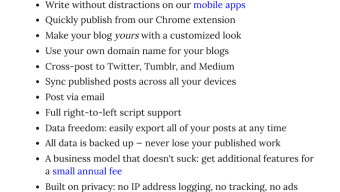
- Single-Source Publishing – Create one version of a post and share it across multiple destinations, reducing the need for repetitive content updates.
- Simple Content Creation Interface – A clean, distraction-free editor allows writers to focus on writing without technical overhead.
- Multi-Platform Sharing – Posts can be linked to external websites, social media, or other online platforms with minimal effort.
- Content Linking Tools – Built-in functionality to reference and connect to other online content, enhancing contextual relevance.
- Consistent Content Distribution – Once published, content remains synchronized across linked platforms, ensuring accuracy and uniformity.
These features are particularly useful for writers managing multiple profiles or seeking broader exposure. For example, a freelance writer can draft a single article and publish it to their blog, Twitter, and LinkedIn with a few clicks. The platform also supports writers who want to maintain a consistent voice across different digital spaces. The ability to link to external sources improves content credibility and reader engagement. While specific integration details were not provided, the platform appears designed for seamless workflow integration in content-driven environments.
User Interface, Workflow & Performance
The user interface is minimalistic, focusing on readability and ease of navigation. The layout emphasizes the writing area, with essential tools accessible through a clean toolbar. Users can switch between writing, previewing, and publishing modes with intuitive controls.
Workflow efficiency is enhanced by the platform’s lightweight design, which allows for quick content creation and immediate sharing. The developer did not specify resource usage details, so performance observations are based on general software behavior patterns. No reported stability issues were mentioned, suggesting a reliable experience under normal conditions.
The application appears to run smoothly on supported systems, though exact CPU or RAM behavior was not disclosed. Installation size is 100MB, which is moderate for a desktop application with content management capabilities. Users can expect a responsive interface during typical writing and publishing tasks.
Compatibility & System Requirements
Write as is compatible with Windows, Mac, and Linux operating systems, making it accessible to a broad range of users across different computing environments. The software version is 1.0.0, indicating a stable initial release. The installation size is 100MB, which is typical for applications with content creation and publishing features.
The developer did not provide additional system requirements, so exact hardware specifications remain unspecified. Compatibility information was partially provided, with no mention of minimum processor speed, RAM, or storage needs. Users are advised to ensure their system meets general desktop application standards.
No platform-specific limitations were indicated, suggesting broad support across modern desktop environments.
Pros and Cons
Pros
- Efficient single-source content publishing reduces duplication and saves time.
- Simple, distraction-free interface ideal for focused writing.
- Supports multi-platform sharing with minimal effort.
- Available for Windows, Mac, and Linux, ensuring cross-platform access.
- Free to use, making it accessible to a wide audience.
Cons
- Exact system requirements were not listed, which may affect user planning.
- Limited information on performance under heavy workloads.
- No details on offline functionality or data storage methods.
- Advanced customization options were not described.
- Release date and version history are limited to initial launch.
FAQ Section
Is Write as available for all major operating systems?
Yes, Write as is compatible with Windows, Mac, and Linux, allowing users to access the software across different desktop environments.
Is the software free to use?
Yes, Write as is available at no cost, making it accessible for individual writers and content creators without financial barriers.
Can I use Write as offline?
The developer did not specify whether offline functionality is supported. Users should verify this based on current release documentation.
How often does Write as receive updates?
Information on update frequency was not provided. Users should check the official website for the latest version and release notes.
What type of license does Write as use?
The licensing model was not disclosed. As the software is free, it may follow an open-source or freemium structure, but this is not confirmed.
Final Thoughts + CTA
Write as offers a focused, efficient solution for writers who want to publish content with minimal friction. Its single-source publishing model stands out as a key advantage, enabling consistent distribution across platforms without redundant effort. The clean interface and cross-platform availability enhance usability for a diverse audience.
While detailed technical and performance data are limited, the software’s core functionality appears reliable and well-suited for its intended purpose. It is particularly beneficial for bloggers, freelance writers, and content creators seeking a streamlined workflow. With no cost to use and broad system compatibility, Write as delivers strong value.
Download Write as now to simplify your content publishing process.







